SmartThings Hub Complete Guide, Benefits, and Use Cases in 2025
The SmartThings Hub has become one of the most essential devices for homeowners looking to create a connected and automated living space. As the central controller of Samsung’s SmartThings ecosystem, it acts as the “brain” that links and communicates with multiple smart devices, making them work seamlessly together. From security cameras and smart locks to lighting, thermostats, and sensors, it provides an all-in-one solution for unifying and simplifying home automation.
The evolution of smart homes has led to the demand for hubs that are not only powerful but also highly compatible with various devices and protocols. Supports Wi-Fi, Zigbee, and Z-Wave connectivity, which means it can integrate with hundreds of devices across different brands. This level of flexibility is what makes it stand out as a reliable centerpiece for a modern smart home.
How SmartThings Hub Works
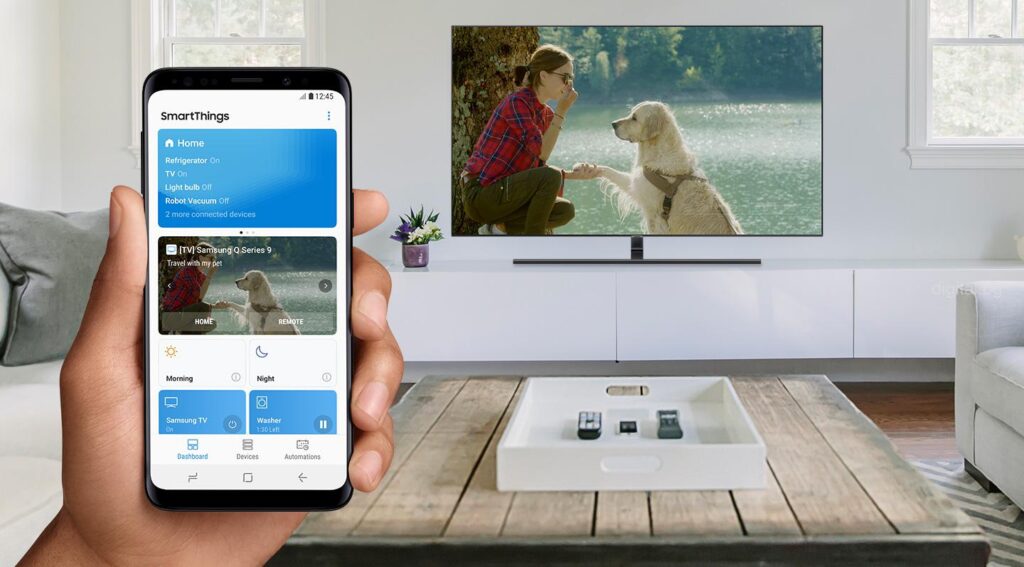
The SmartThings Hub acts as a communication bridge that allows multiple smart devices to connect and function together through a single app. Instead of controlling each device individually, users can automate interactions between them. For example, when a motion sensor detects movement at night, the Hub can trigger lights to turn on and a security camera to start recording automatically.
It is designed to operate through the SmartThings app, available on both Android and iOS, where users can set up routines, automate tasks, and monitor devices from anywhere. This centralization removes the need for juggling different apps for each device brand, streamlining the entire experience.
Additionally, offers integration with major voice assistants like Amazon Alexa and Google Assistant, making it possible to control devices hands-free. Whether it’s dimming the lights, adjusting the thermostat, or checking if the doors are locked, the Hub ensures convenience and efficiency.
Key Features of SmartThings Hub
One of the most appealing aspects of the SmartThings Hub is its feature-rich functionality. It offers:
-
Multi-protocol support: Works with Zigbee, Z-Wave, and Wi-Fi devices, ensuring wide compatibility.
-
Centralized control: A single app to manage multiple devices from different manufacturers.
-
Automation and routines: Create custom scenarios like “Good Morning” or “Away Mode” to automate daily routines.
-
Voice control integration: Compatible with Alexa and Google Assistant.
-
Remote monitoring: Control and monitor devices from anywhere in the world.
These features highlight why the Hub has become a popular choice among homeowners seeking a seamless and reliable smart home experience.
Real-World Examples of SmartThings Hub in Action
1. SmartThings Hub with Ring Video Doorbell

Integrating with a Ring Video Doorbell allows homeowners to unify home security within one app. When someone rings the doorbell, the Hub can be programmed to turn on the porch lights and send an alert to the SmartThings app. It can even trigger indoor cameras or smart speakers to announce visitors.
This setup enhances safety and convenience by ensuring homeowners are always aware of who is at the door. It eliminates the need for separate apps and provides seamless security automation.
2. SmartThings Hub with Philips Hue Smart Lights

Pairing with Philips Hue lights enables advanced lighting control. Homeowners can automate lights to gradually brighten in the morning as part of a wake-up routine or dim in the evening when it’s time to wind down.
Through the SmartThings Hub, users can combine lighting with other devices, such as motion sensors and thermostats. For example, lights can automatically turn off when no one is home, saving energy while maintaining security.
3. SmartThings Hub with Smart Thermostats
When connected to a smart thermostat, such as the Ecobee or Honeywell Home, the SmartThings Hub can automate climate control. For instance, when the system detects that the homeowner has left, it can adjust the thermostat to an energy-saving mode. Conversely, when the user is on the way home, the Hub can prepare a comfortable indoor temperature.
This not only improves comfort but also reduces energy bills by ensuring heating and cooling systems operate more efficiently.
4. SmartThings Hub with Smart Locks
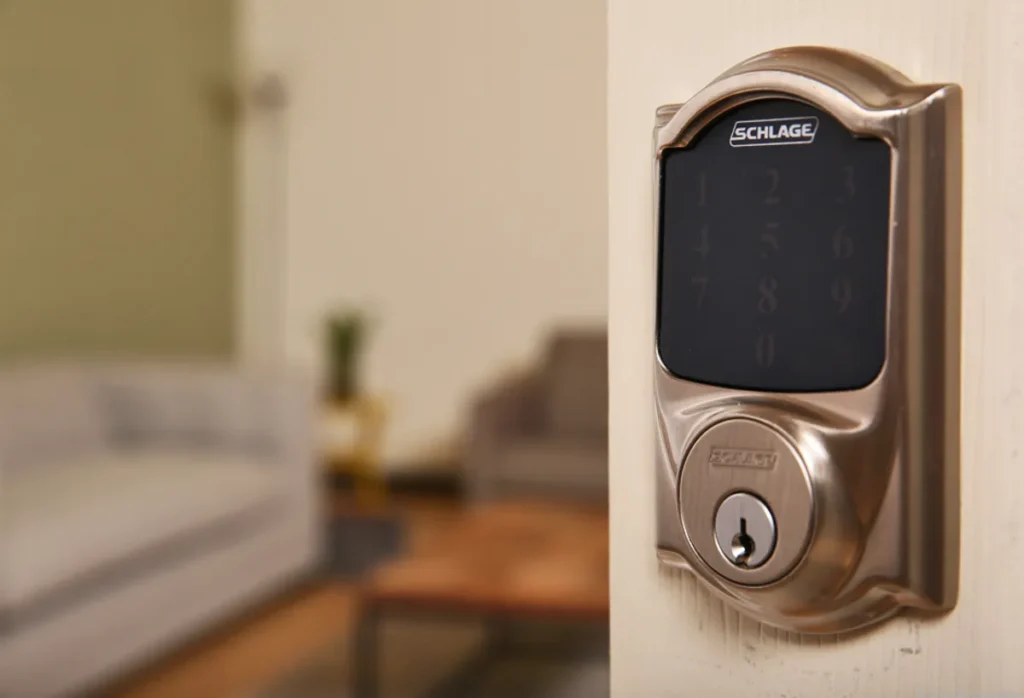
Using SmartThings Hub with a smart lock, like the Schlage Encode, provides both security and convenience. Homeowners can set routines so that when they unlock the door, the lights turn on, and the thermostat adjusts to the preferred setting.
In addition, the Hub allows remote monitoring, meaning users can check lock status and receive notifications if someone enters the home. This setup adds peace of mind and strengthens home security.
Benefits of Using SmartThings Hub
Simplifies Home Automation
The most significant advantage of SmartThings Hub is simplification. Instead of dealing with multiple apps for various devices, the Hub consolidates everything into a single platform. This centralization saves time and reduces frustration while offering a smooth, integrated experience.
Enhances Security
By integrating with smart locks, cameras, and sensors, SmartThings Hub strengthens home security. Users can set automation scenarios such as locking doors automatically at night or receiving instant alerts when unusual activity is detected.
Improves Energy Efficiency
SmartThings Hub can automate thermostats, lights, and appliances to minimize energy waste. For example, lights can switch off when no movement is detected, and thermostats can adjust based on occupancy. These small automations lead to significant savings on utility bills.
Provides Flexibility and Compatibility
The Hub supports devices from various manufacturers, giving homeowners the freedom to choose products they prefer without being restricted to a single brand ecosystem. This flexibility is a major benefit compared to closed systems.
Increases Home Value
Smart home-ready houses are becoming more attractive to buyers. A SmartThings Hub adds to the value of a property by demonstrating that the home is equipped with a modern automation system.
Practical Use Cases of SmartThings Hub
Automating Morning Routines
Imagine waking up to lights that gradually brighten, the thermostat warming your bedroom, and the coffee machine starting-all triggered by the SmartThings Hub. This automation makes mornings more pleasant and efficient.
Strengthening Nighttime Security
Homeowners can set the Hub to automatically lock doors, turn on exterior lights, and activate cameras at night. This routine provides peace of mind and ensures the home remains secure during sleeping hours.
Energy-Saving While Away
When leaving the house, users can set the Hub to turn off unnecessary lights, lower the thermostat, and activate security devices. This ensures the home is both secure and energy-efficient while unoccupied.
Creating Entertainment Scenes
For movie nights, SmartThings Hub can dim the lights, lower the shades, and switch on the TV simultaneously with a single command or automated routine. This creates a perfect home entertainment experience.
Frequently Asked Questions
Q1. Does SmartThings Hub work without the internet?
SmartThings Hub requires internet connectivity for full functionality, including remote access and integrations. However, some basic automations and local device controls may still work if the internet goes down.
Q2. Can SmartThings Hub control devices from other brands?
Yes. One of its strongest advantages is compatibility with a wide range of devices from different manufacturers, thanks to its support for Zigbee, Z-Wave, and Wi-Fi.
Q3. Is SmartThings Hub necessary if I already use Alexa or Google Assistant?
While Alexa and Google Assistant can control certain smart devices, they offer more advanced automation, better integration between different devices, and greater flexibility in managing routines.